
Features
Built for real families, not just courtrooms
Every feature in CoParentPro was designed with one goal: helping you co-parent calmly while keeping your children first. Here’s what’s in the app — and exactly where your words go.
Communication
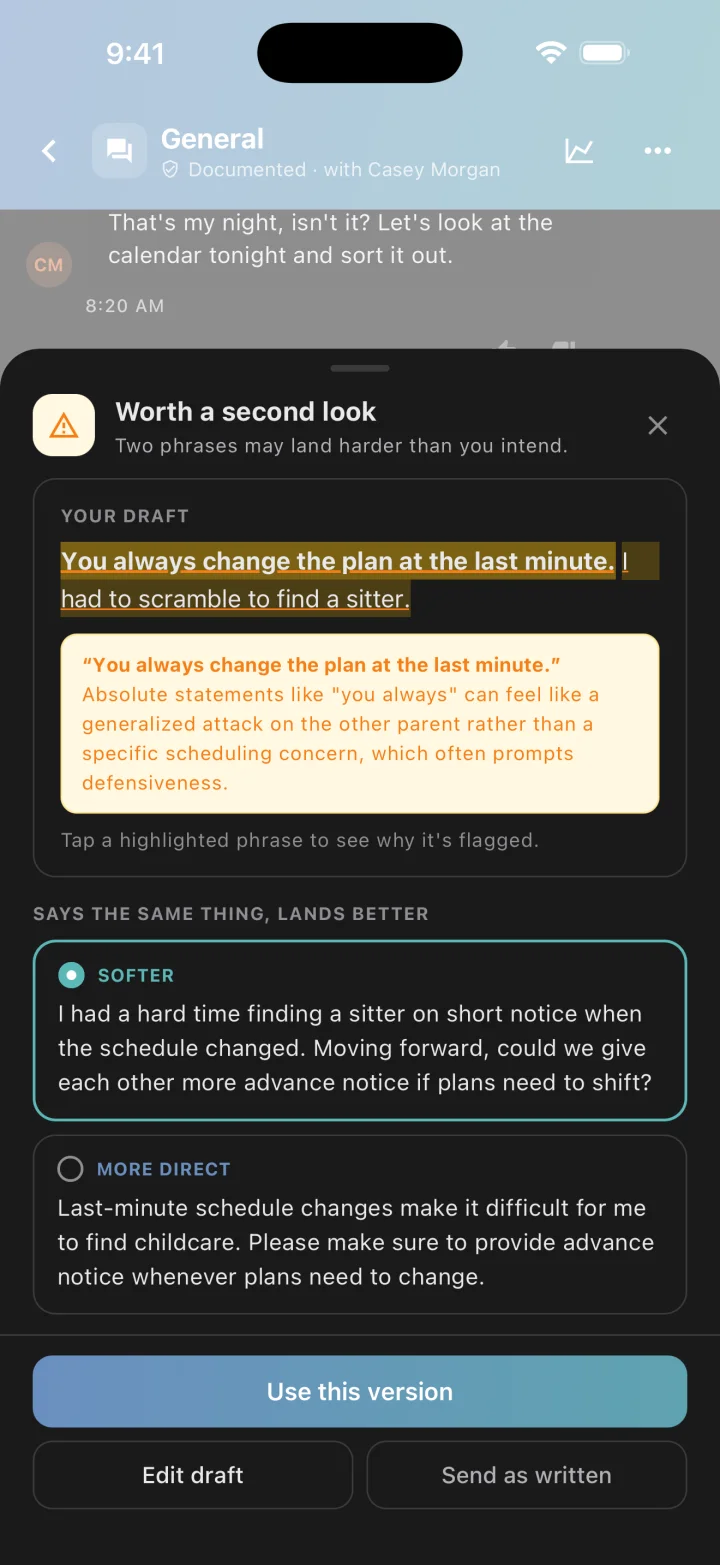
A second opinion before you hit send
As you type, a rule-based check on your phone rates your draft green, yellow, or red — no connection needed. When you tap Review or Send, our cloud AI reads the draft in context, explains each flagged phrase in plain language, and offers two rewrites: Softer and More direct. You choose what to send.
- Live green / yellow / red feedback as you type, on your phone
- Cloud AI review on Send and Review: every flagged phrase explained
- Two rewrites for a flagged draft — Softer and More direct — one tap to use either
- Hold until morning: park a heated draft and get a reminder at 8 AM
- Explicit threats and insults are always caught on your phone — offline, in Private Mode, on any plan
Where your words go
Two layers of analysis. One switch that keeps it on your phone.
Tone guidance in CoParentPro is not one thing. Part of it runs entirely on your phone, part of it runs on our cloud AI, and you decide whether the cloud is ever involved.
On your phone
A rule-based tone check runs as you type and again when you send. It rates the draft green, yellow, or red and catches explicit insults, threats, and pressure tactics.
Needs no connection. This layer is what free accounts and Private Mode rely on.
In the cloud
When you tap Review or Send, the draft goes to CoParentPro’s cloud AI to be read in context. It explains flagged phrases and writes two rewrites: Softer and More direct.
Only the draft is sent — plus the message it replies to, for context. Rewrites are never stored. Local warnings take precedence: the cloud can’t talk a red down to green.
Private Mode
One switch keeps subtle tone analysis on your phone only. Nothing goes to the cloud, so there are no cloud explanations or rewrites while it is on — strong explicit warnings still appear.
Threads with family members and other non-co-parent contacts always stay on your phone, whatever the setting.
Free accounts get the on-phone check, a daily allowance of cloud reviews, and three full previews when the cloud catches something the rules missed. Premium unlocks explanations and rewrites on every flagged draft. Drafts and rewrites are never stored and never shown to your co-parent.
That’s the short version. How it works explains why it’s built this way, what it does in the moments that matter, and what other apps say about their own tone checks.
Scheduling
Shared custody calendar
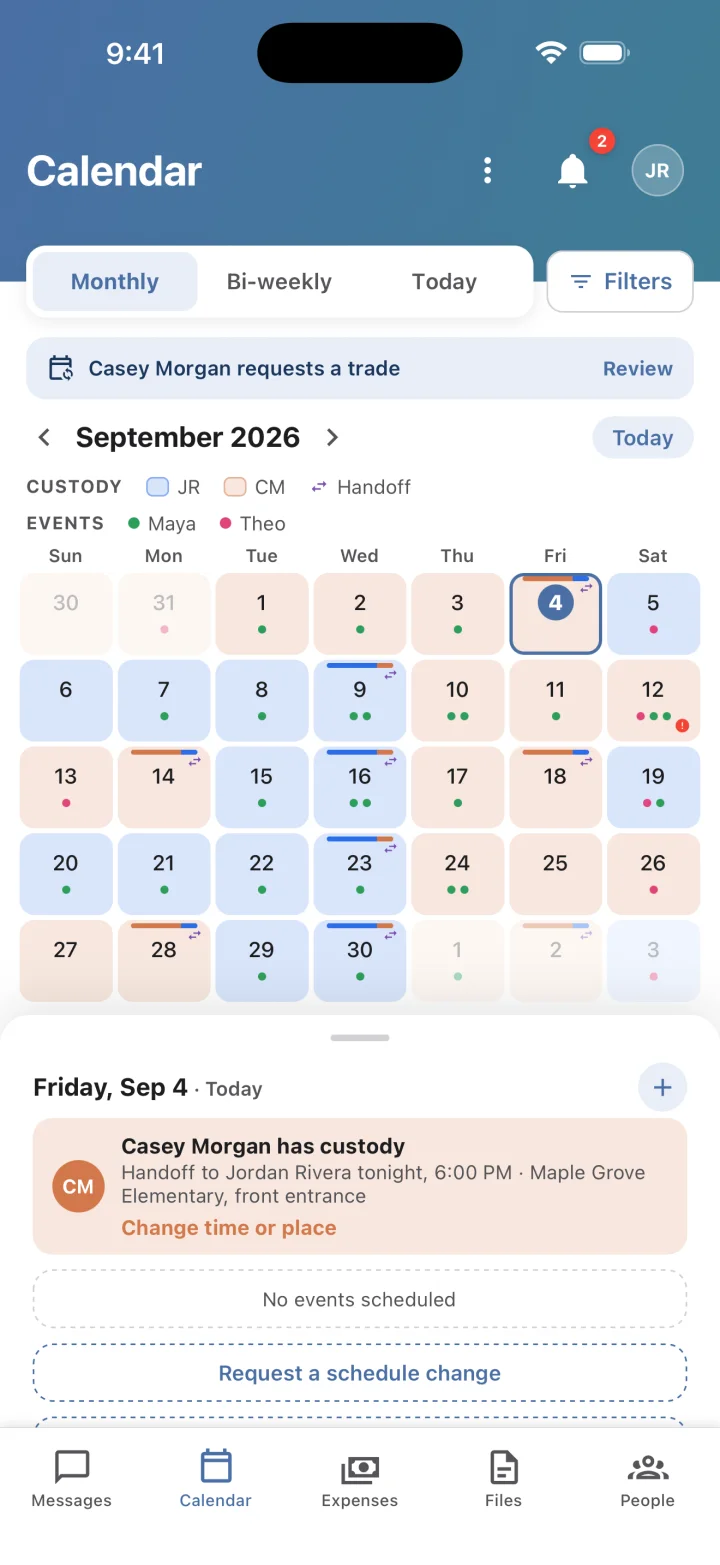
One calendar both parents can trust. Set the custody pattern once, add the things that happen around it, and ask for a change in the app instead of arguing about it over text — with a record either of you can point to later.
- Custody pattern with parent color coding, plus handoff times and places
- Recurring events for school, medical, activities, holidays, and birthdays
- Schedule-change requests: propose, counter, or accept — the outcome lands in the thread
- Conflict warnings when a child or parent is double-booked, or an event lands on the other parent’s day
- Reminders before handoffs and events, and sync to your phone’s calendar
Messaging
Messaging with a record you can verify
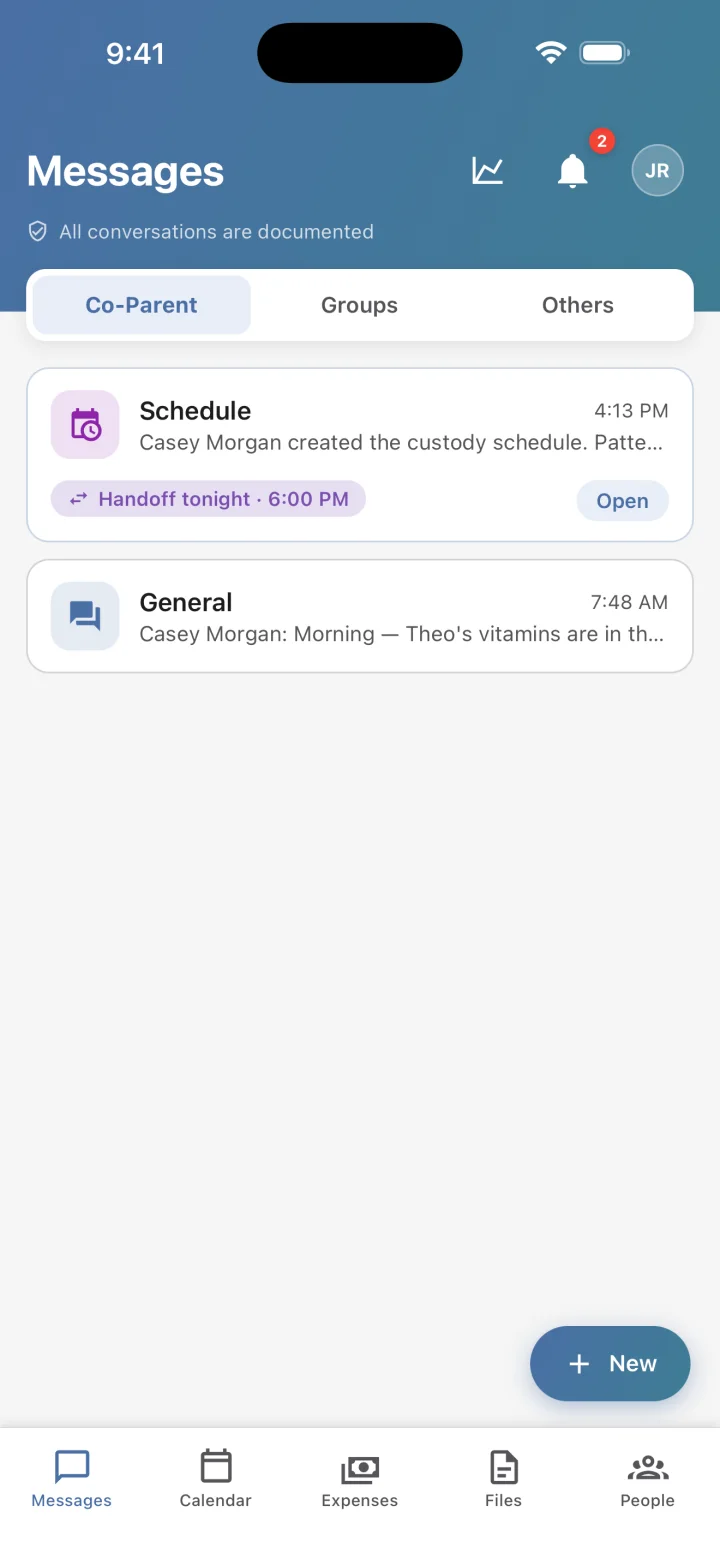
Every message is timestamped, stored securely, and locked the moment it is sent. Delivery and read status keep both parents accountable, and when you need a record, you can export one with integrity verification built in.
- Messages can’t be edited or deleted once sent — by either parent
- Timestamps, delivery status, and read receipts on every message
- Separate threads by topic, so school and medical conversations stay findable
- Photos in messages on every plan; document attachments with Premium
- Court-ready PDF export with a SHA-256 hash and verification code (Premium)
Finance
Expense tracking & splitting
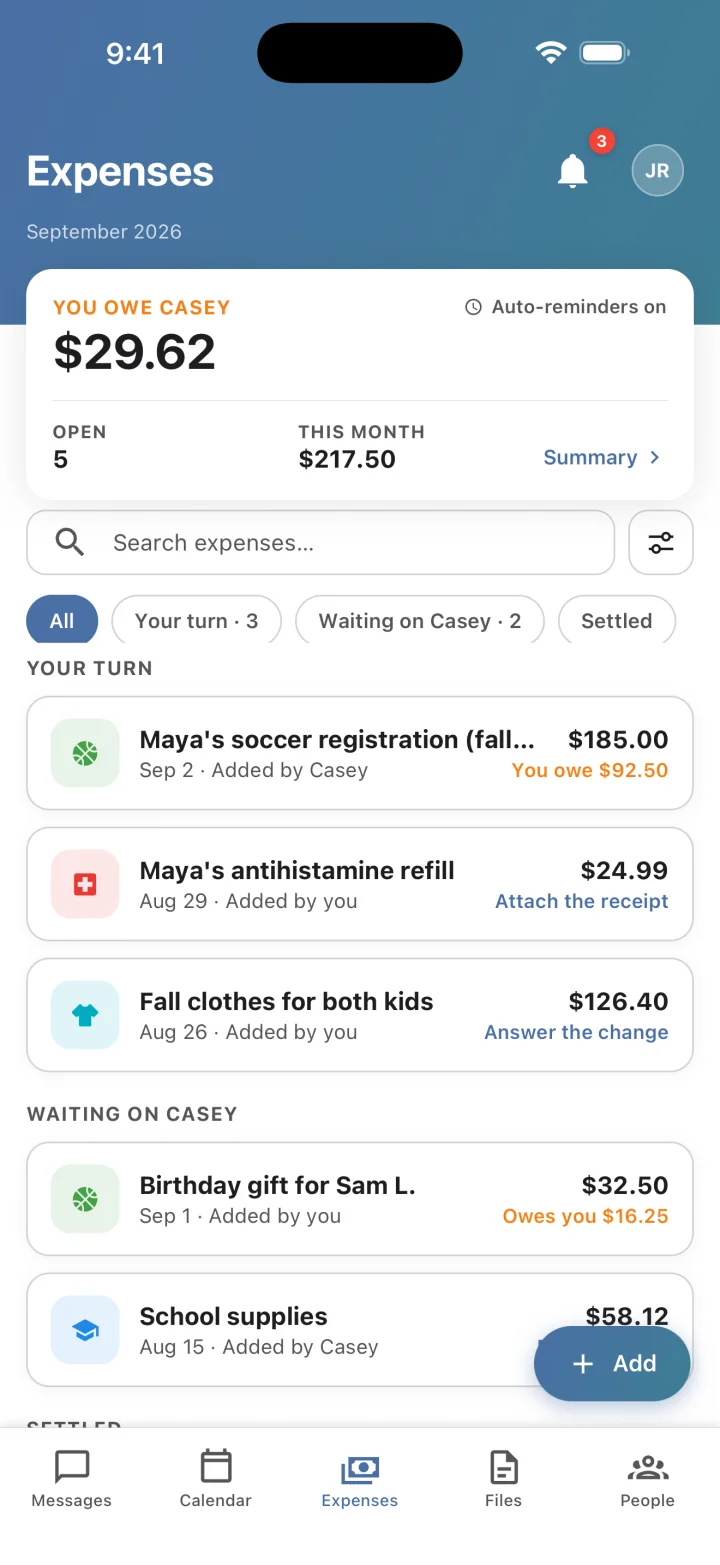
Keep a clear record of child-related costs. Whoever paid logs it, the split is applied, and the other parent pays, approves, proposes a change, or disputes — in the app, with a reason attached. Nothing is silently edited.
- Log costs with a category and receipt photos
- Split 50/50 or by an agreed ratio; see who owes whom at a glance
- Propose a change or decline with a reason — every step is kept
- A printable record for each expense: every payment, change, and reason
- Either parent can pay, approve, or dispute — even if Premium lapses
Insights
See your communication improve
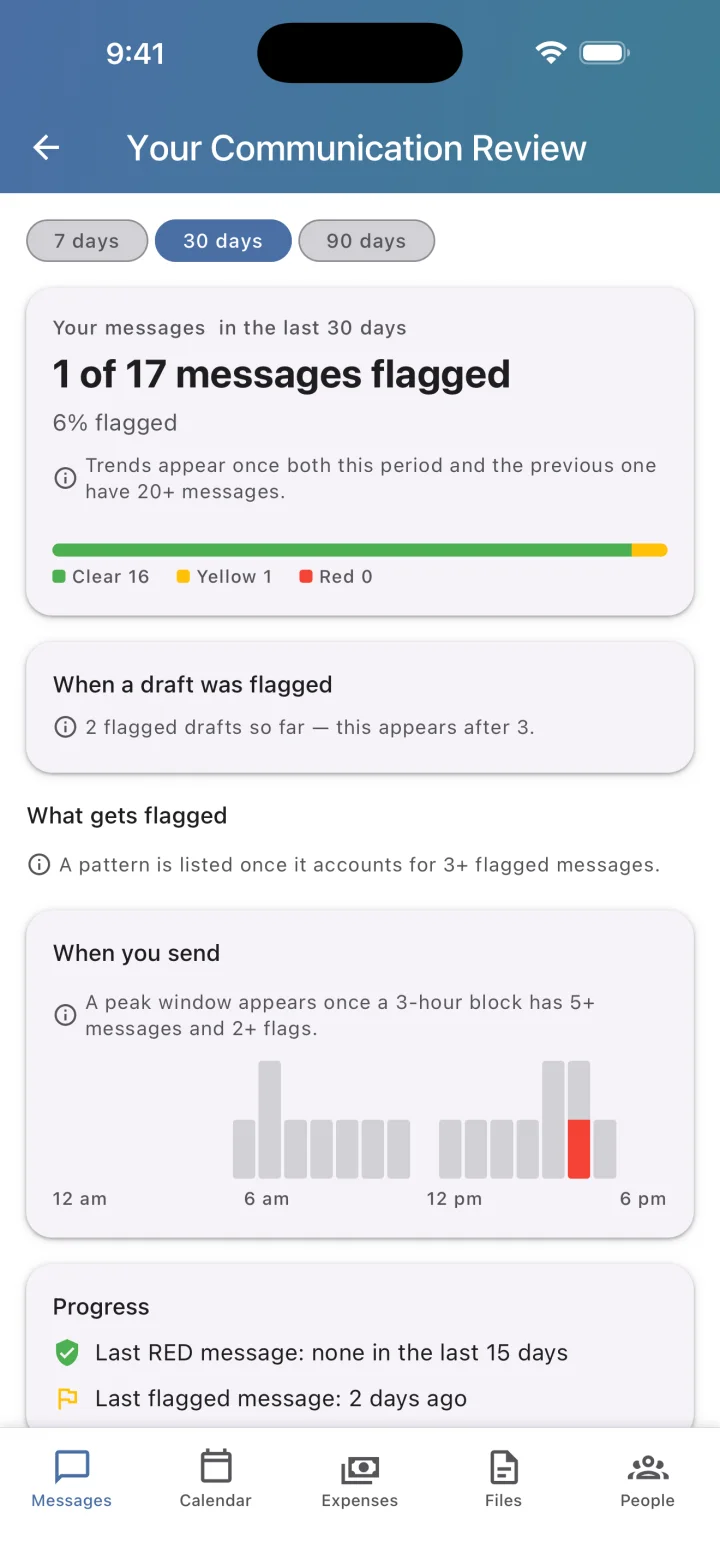
Premium insights show how your own messages trend over time — so you can see the temperature drop, not just feel it. Patterns, not blame. Nothing here is computed from your co-parent’s messages, and nothing here is shown to them.
- How often your messages get flagged, and whether that is improving
- Which patterns come up, with examples from your own messages
- What you did with flagged drafts: revised, used a rewrite, or sent anyway
- Time-of-day peaks and streaks of calm days
- Built only from your own messages — never shared with your co-parent
Documents
A shared files library
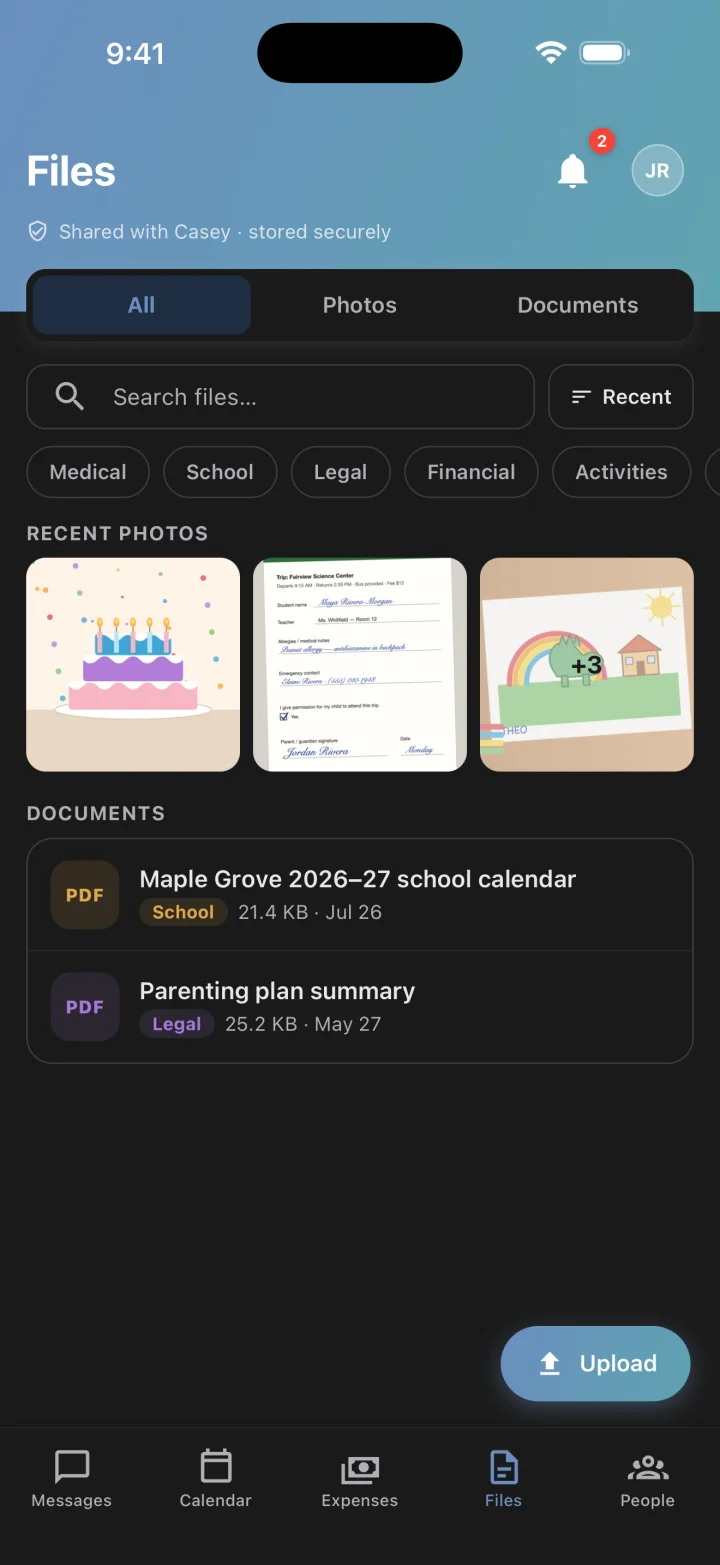
Court orders, school forms, medical records, insurance cards — stored once, visible to both parents, always findable when you need them.
- One library both parents can read
- Organized by category: Medical, School, Legal, Financial, Activities, and more
- Photos and documents in one place; expense records are saved here automatically
- Existing files stay readable and downloadable even if Premium lapses
Security
Security you can check, not just trust
Your family’s data lives on Google Cloud (Firebase) behind server-enforced access rules, and the record-keeping guarantees that matter in a custody dispute are built into the database itself.
- Encrypted in transit and at rest
- Server-enforced access rules: only your family can read your family’s records
- Messages are immutable after sending, with write-once audit logs behind exports and record changes
- Verified email before anyone can find or connect with you; optional two-factor sign-in
- Delete your account any time, with a 30-day grace period to change your mind
Also included
The rest of the household
Family members
Invite grandparents or relatives to read the calendar and child details. They never see expenses or files, and they only message the parent who invited them unless the other parent says yes.
Shared contacts & child details
Doctors, teachers, coaches, allergies, school info — entered once, visible to both parents.
Phone calendar sync
Push custody days and events to the calendar already on your iPhone or Android phone.
Two-factor sign-in
Optional, with any authenticator app. No SMS codes — on purpose, because a former partner may still share your phone plan.
Notifications & reminders
Message, calendar, and expense alerts, plus reminders ahead of handoffs and events.
Light, dark, and tablet
Follows your system theme and runs on iPhone, iPad, and Android phones and tablets.
Start free. Upgrade when you want more.
Messaging and on-phone tone guidance are free for both parents. Premium comes with a 14-day trial once you’re connected to your co-parent — cancel anytime through the App Store or Google Play.